
1. Purchase Credits
Before using WP Magic Style, you must purchase translation credits.
Visit the following link:
https://wp-magic.ulayers.com/
2. Create Your API Key
After purchasing credits:
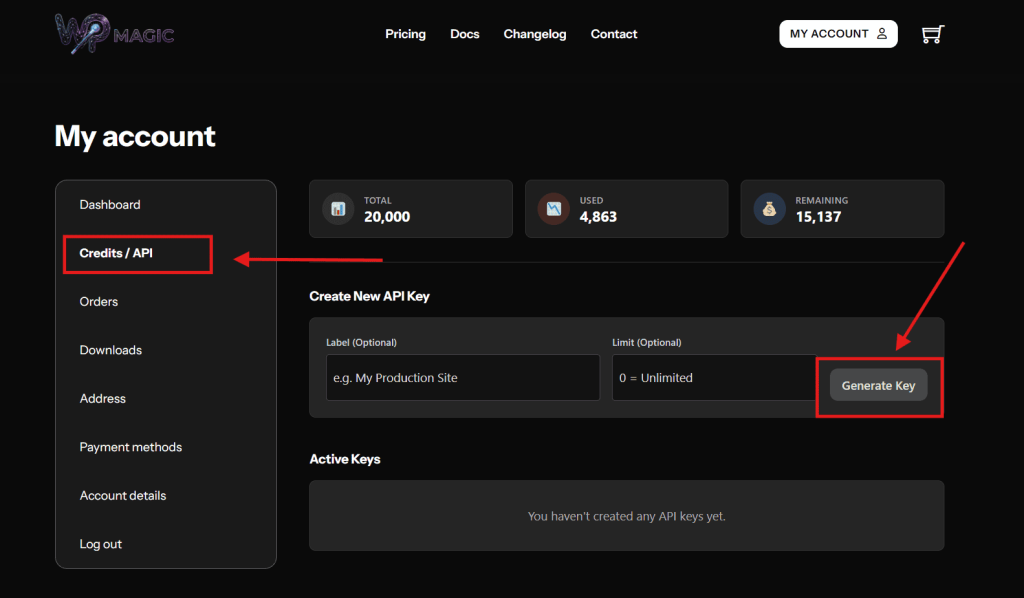
- Go to My Account
- Open the Credits / API tab
From there, you can create and manage your API keys.
API Features:
- Create a new API key for your website
- Assign a Label to identify each API
- Set a Limit for each API key to control credit usage
- Use 0 as the limit value to allow Unlimited usage
- Edit the API label or limit at any time
- Delete any API key you no longer need
This allows you to recharge a large amount of credits and distribute them safely across multiple websites or projects.
3. Download the Plugin
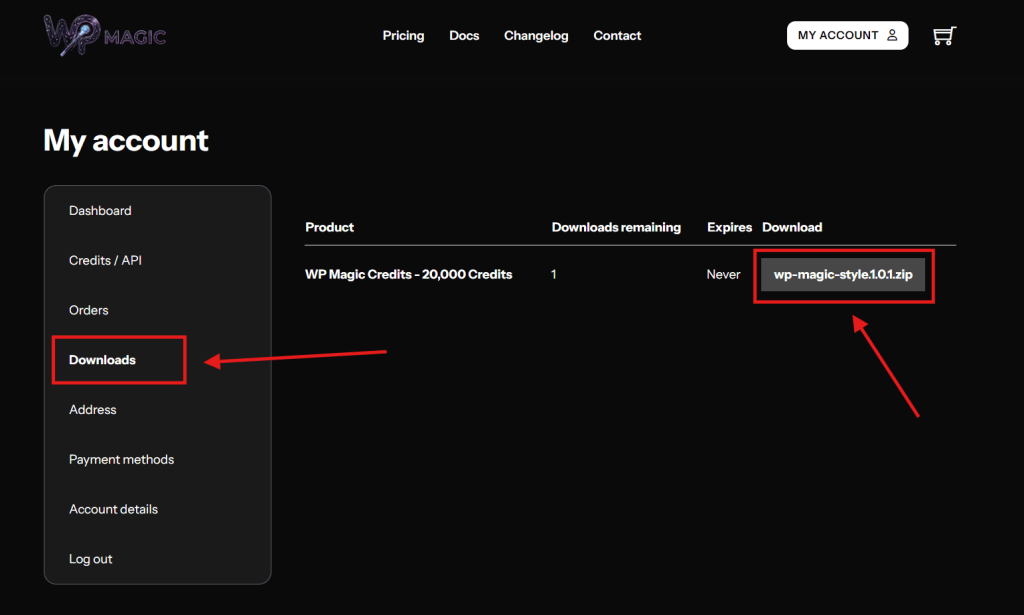
- Go to the Downloads tab
- Download the W Magic Style plugin
- Upload and install the plugin on your WordPress website
- Activate the plugin from the Plugins page
4. Plugin Setup
After activation:
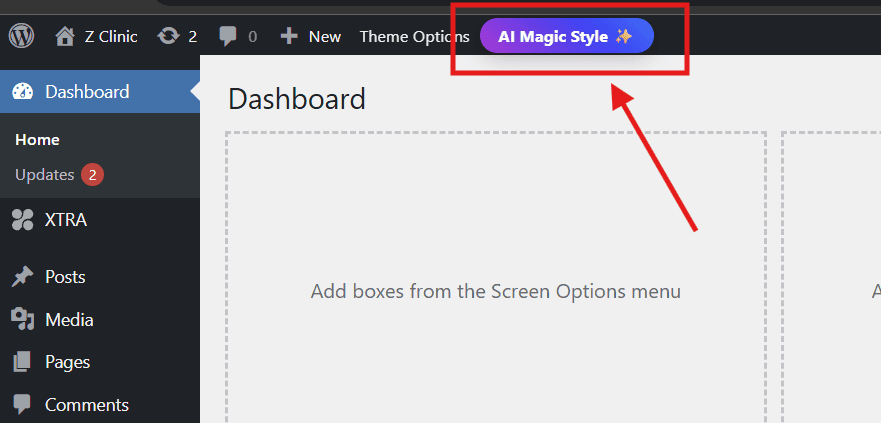
- Click on AI Magic Style button on the admin bar
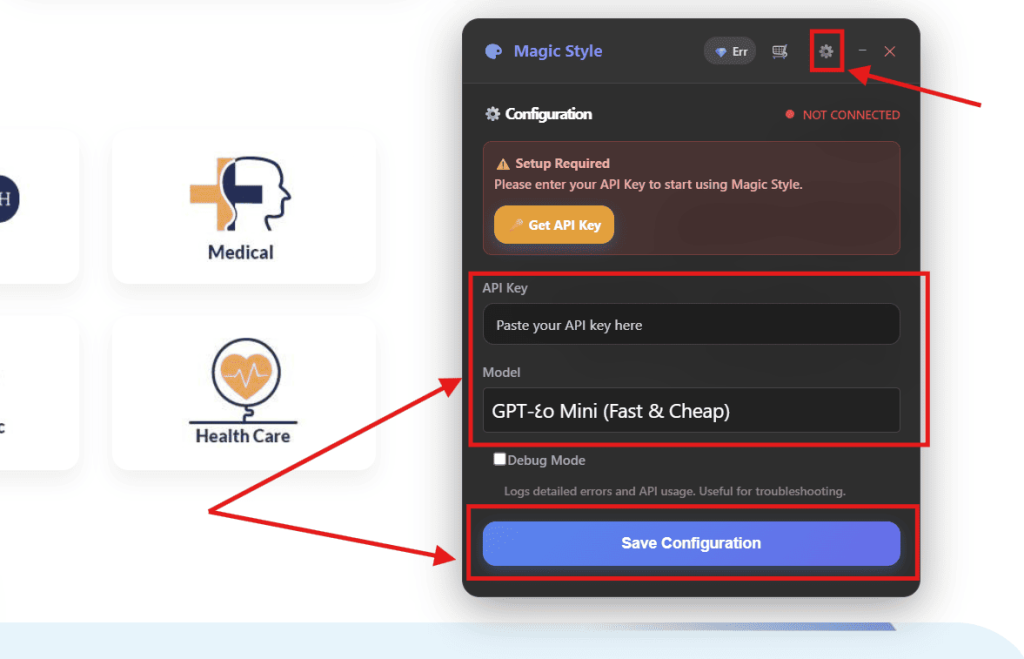
- Enter your API Key
- Select the AI Model you want to use
- Click Save
5. Start Magic Styling
- Navigate to the Magic Style Interface
- Click Target Element
- Select the element you want to apply styling to
- Type your prompt describing the desired design
- Click Magic Now
When the result appears:
- View and edit the generated CSS
- Save changes globally or for the current page only
- Or discard them

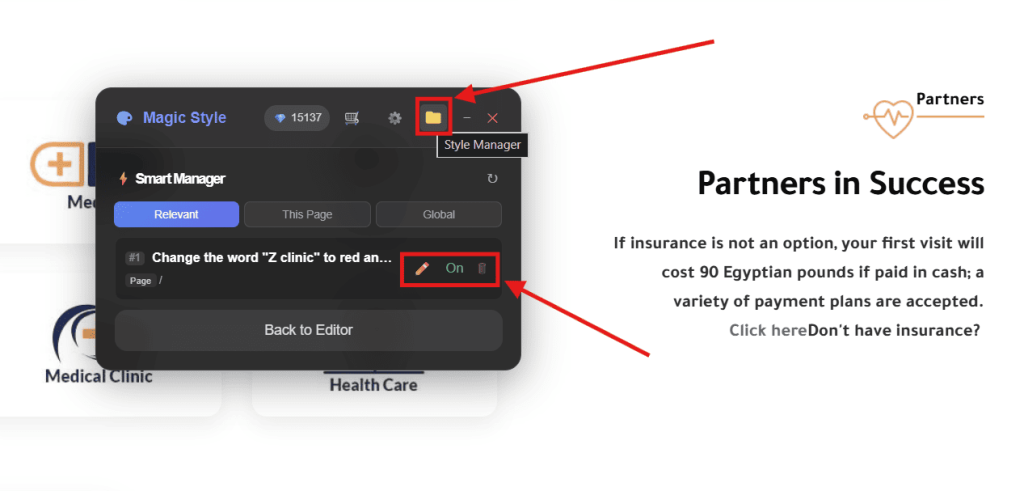
6. Edit Previous Styling
You can always:You can always:
- Edit any previous styling
- Hide or show styles
- Delete styles entirely
7. Credits Recharge
Quick-access credit recharge buttons are available at the top of the styling window.
8. WhatsApp Support
Get direct support anytime if you face any issues. Contact Now